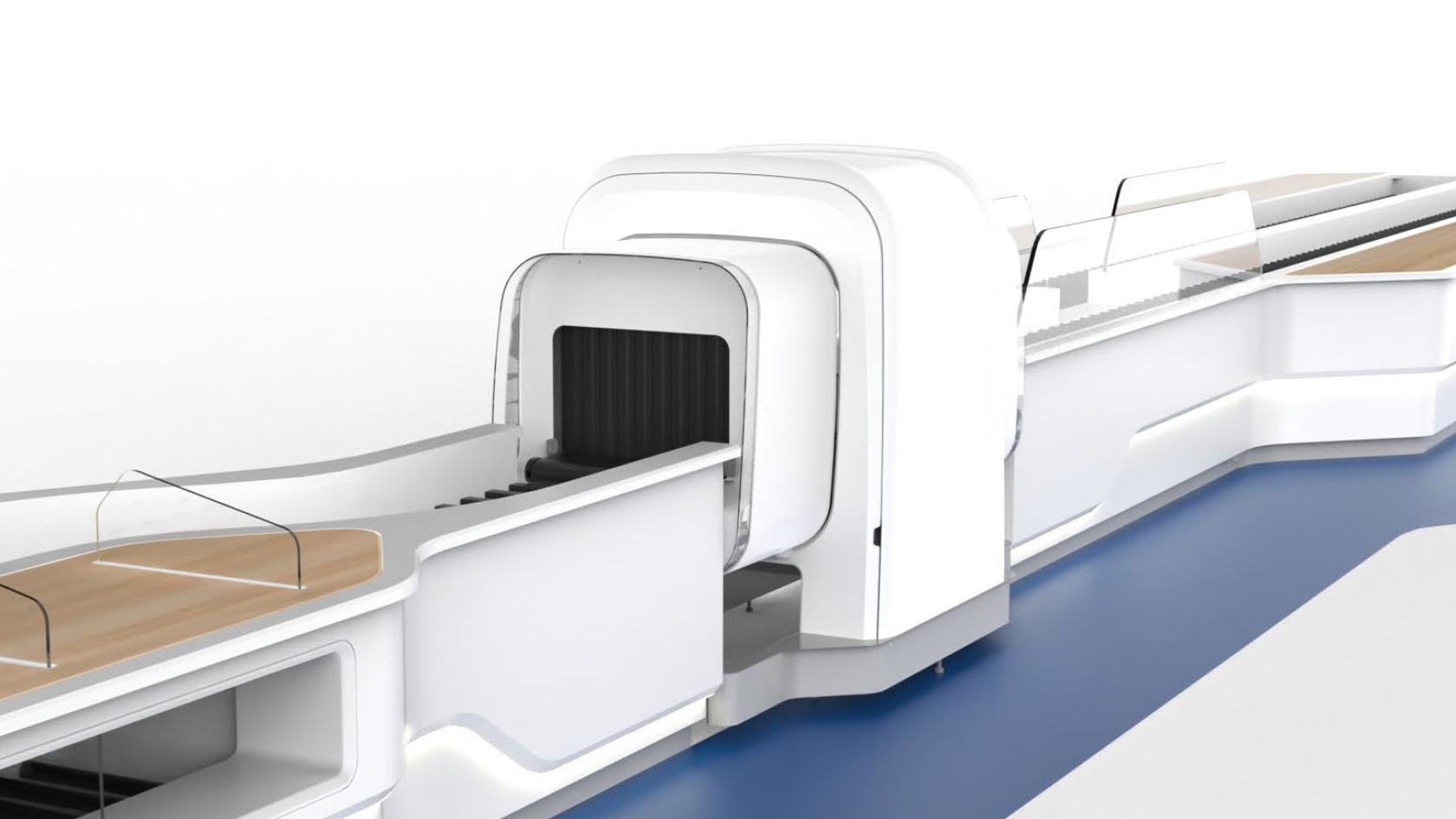
Thales’s HELIXVIEW™ scanner built into a screening lane, between two conveyors

Thales

At cabin-baggage screening, the agent has to decide fast and get it right. My role: designing the interface that helps them read a bag scanned in 3D.

HELIXVIEW™ built into a screening lane. Image © Thales.
Role
UX researcher and UI designer
Team
Two designers, supervised by the Thales project team
Context
Graduation project, Ironhack, 2022
Tools
Figma, Blender, Adobe Dimension

The problem

At an airport security checkpoint, every cabin bag goes through the scanner. The agent reading the image has to decide within seconds, without mistakes, and do it again all day. Most scanners only show a 2D image: travelers have to take laptops, tablets and other items out of their bags, and screening becomes stressful, for fear of having a laptop stolen or losing something.

Thales was developing HELIXVIEW™, a scanner that rebuilds the contents of a bag in 3D. Items can stay in the bag, provided the agent can read that richer image, and quickly.

For my graduation project at Ironhack, in 2022, a colleague and I had to design this interface, from reading the image to making the decision, supervised by the Thales project team.

The method

Airport security agents work in a discreet role, and we couldn’t meet them. We still interviewed a few security agents who work outside airports, on this type of scanner: they told us how they feel about the job and what they need. The Thales team shared what they knew about the work, and I added a review of the scanners on the market and how they work.

From there we built personas, usage scenarios under pressure and the agent’s journey through the application, then a prototype that we put in front of testers.

One image, twenty seconds, and no room for error.

The journey

The interface is one link in a chain where everyone depends on everyone else: the traveler, their bag, the operator reading the image, the agent who inspects. To design it, we first had to understand the whole journey.

  1. 01Drop-off

    TravelerPuts the bag in a tray

    BagMoves onto the belt

  2. 02Screening

    TravelerWalks through the body scanner

    BagGoes through the 3D scanner

  3. 03Analysis

    TravelerWalks along the lane

    BagIts 3D image is sent

    Operator, remoteRotates the bag, zooms, frames the spot that looks wrong

  4. 04Decision

    TravelerWaits

    Operator, remoteClears it, asks for an inspection or alerts a colleague

    Inspection agentReceives the alert

  5. 05Exit

    TravelerCollects the bag

    BagGoes straight on, or to the inspection lane

    Inspection agentInspects the bag with the traveler

Steps handled through the interfaceA cabin bag’s journey through the security checkpoint, from each person’s point of view.
Going through the security checkpoint, from dropping the bag to the decision. Generic illustration made for this portfolio.

The interface

In our prototype, two views shaped the interface. First, the 3D view: the agent rotates the bag, zooms in, and frames the spot that looks wrong. Then the decision view: clear the bag or ask for an inspection. We also proposed that the agent could send a voice message to the colleague standing by the bag.

These were our proposals: the Thales team then designed the final interface, and not all of them were necessarily kept.

The decisions

Designing for 3D

The usual option
A 2D image, as on most scanners: travelers take their devices out of the bag.
The choice
An interface built for 3D, where the agent rotates the bag to see what is inside. To test it, I modelled in Blender and Adobe Dimension the objects that go through the scanner, in several types of view, then brought them into Figma.
Why
Keeping their things in the bag makes screening less stressful for travelers, who are often afraid of having a laptop stolen or losing an item.
A dark interface

The usual option
A light, more classic interface: the one most competitors used, often dated.
The choice
A dark background by default, with a light version offered as well.
Why
Operators look at the screen continuously, and dark is easier on some people’s eyes. The light version leaves the choice to those who find dark uncomfortable.

Alerting the colleague by voice

The other option
A written message to the colleague standing by the bag.
The choice
We proposed a voice message.
Why
The agent has little time to type: saying something in a few seconds is simpler.
What it cost
Writing, which can be useful too.

Dropping the game

The option we dropped
A score for each agent, correctly detected items and false positives, with a leaderboard among colleagues, to break the monotony.
The choice
A more classic interface, without a leaderboard.
What it cost
A lever against monotony. Ranking colleagues against each other risked creating other problems at work.

The tests

About five people took part in usability tests: they went through the interface along the prototype’s different journeys, then gave us their feedback. We also compared two versions in an A/B test. This feedback shaped the version we delivered.

The outcome

The research and mockups gave the Thales team a foundation for the product’s final interface. HELIXVIEW™ is now a commercial product.

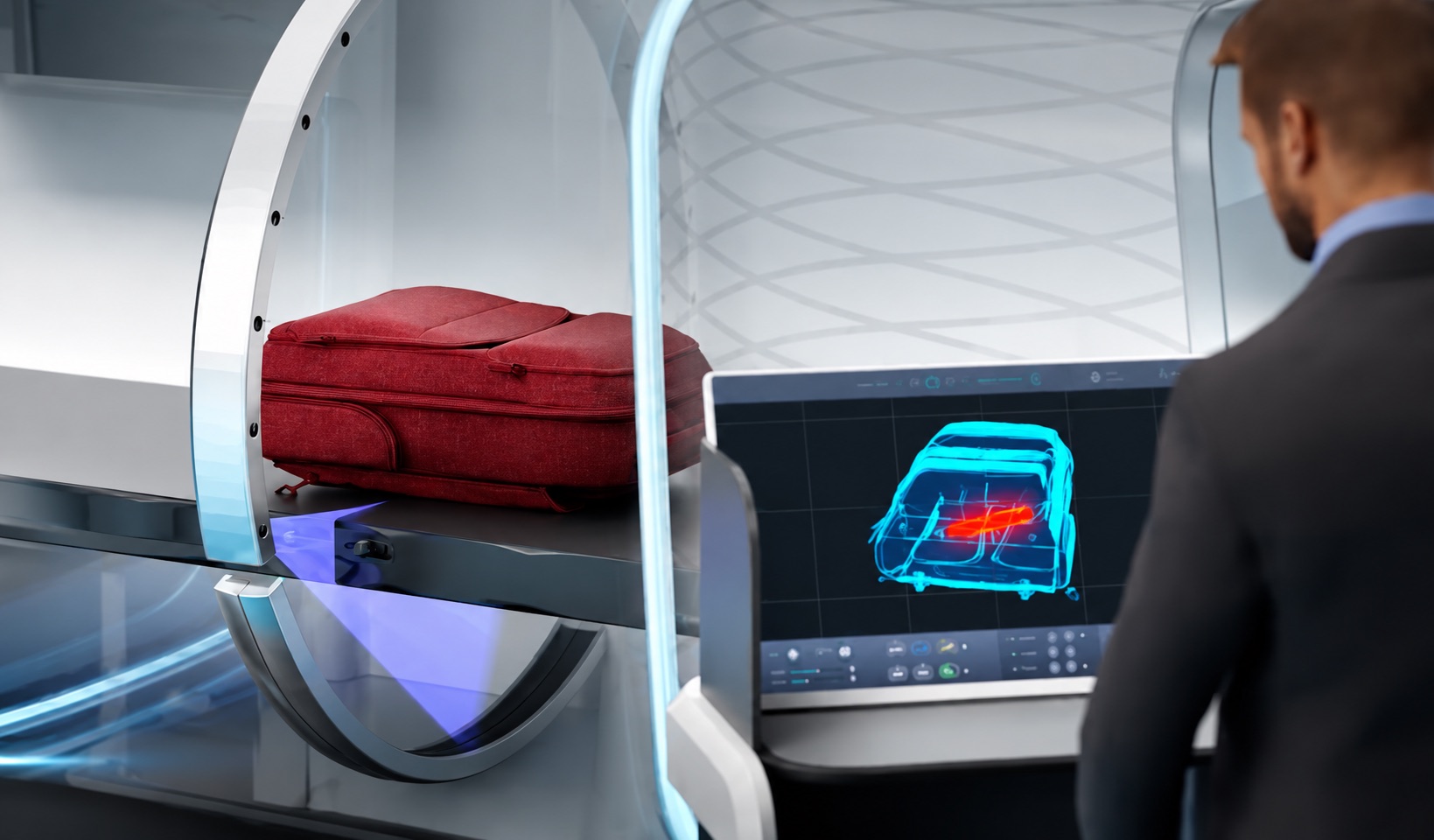
An agent at the scanner screen: a red backpack goes through the tunnel while the screen shows its 3D image in blue, with one item flagged in red
The agent’s station in the HELIXVIEW™ presentation video: the final interface, built by the Thales team. Image © Thales.
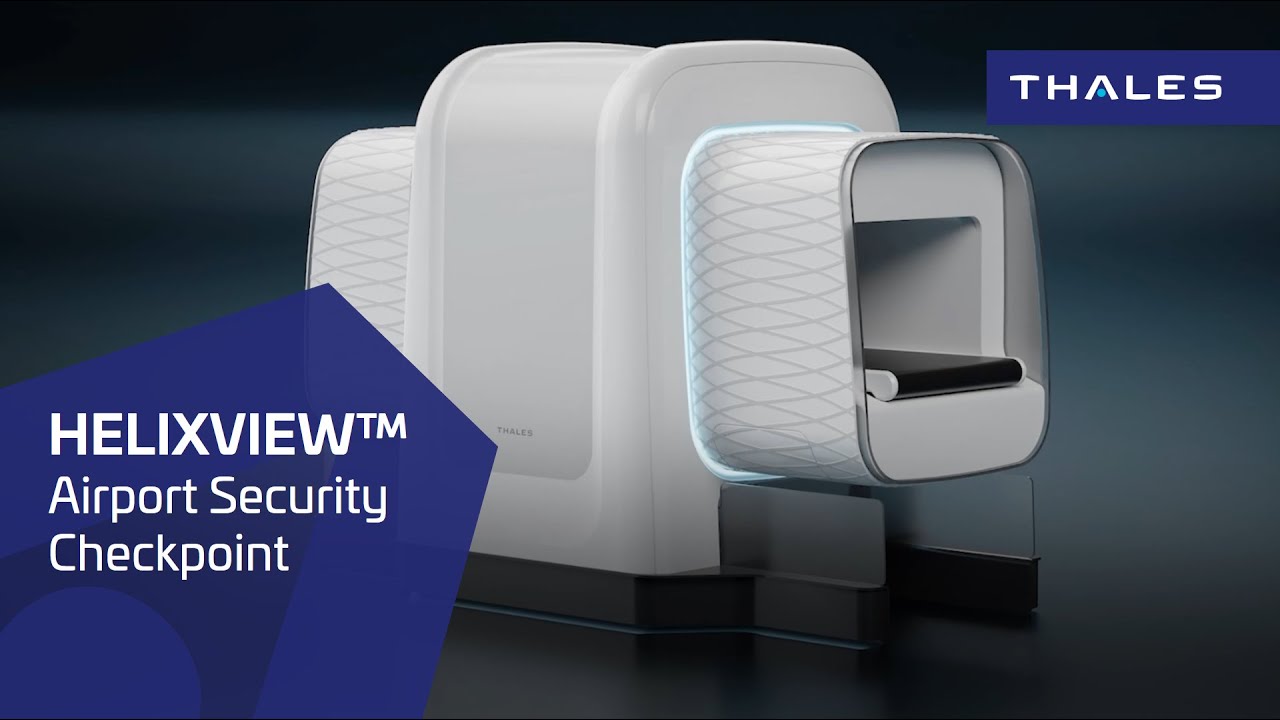
Thales’s HELIXVIEW™ scanner
Thales’s public HELIXVIEW™ presentation video. Product page (in French).

Looking back

I would build a far more mature design system. The project ended before I could take it as far as I wanted.

Interested in this work? Get in touch.